Automatic scene-aware color
The AI uses visual context to estimate plausible colors for skin, clothing, objects and backgrounds without manual painting.

AI photo colorizer
PhotoBoost analyzes the people, objects and scene in a grayscale photo to generate a color interpretation. Adjust the intensity, compare it with the original and combine colorization with restoration or upscaling when the source also needs repair.
One free AI enhancement · JPG, PNG, WebP and HEIC · Up to 45 MB
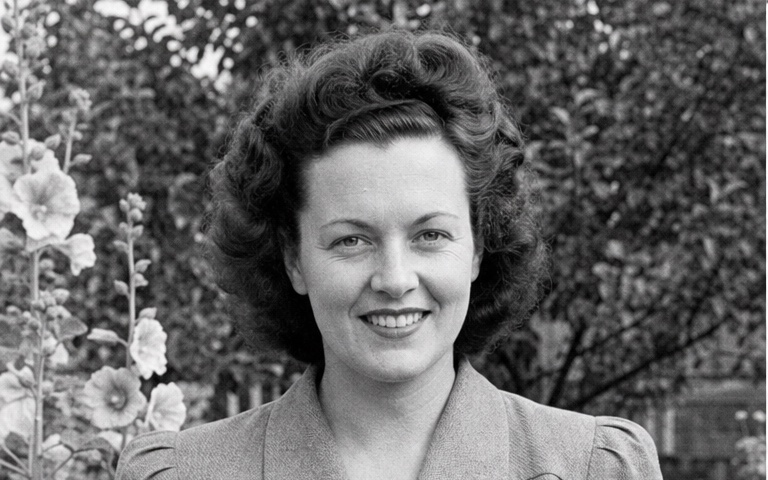
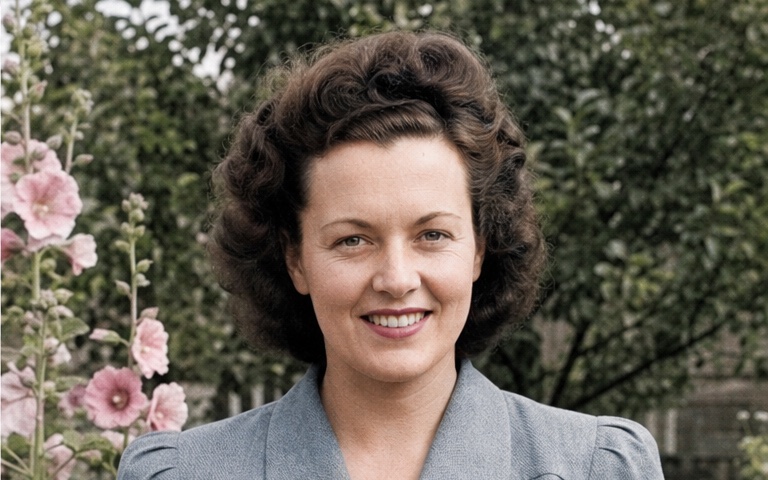
Illustrative comparison. Results vary with the source image and selected tools.
The AI uses visual context to estimate plausible colors for skin, clothing, objects and backgrounds without manual painting.
Blend between the original black-and-white photo and the generated color result to choose a more subtle or vivid interpretation.
Pair colorization with face enhancement, upscaling, sharpening and tone adjustments in the same PhotoBoost project.
How it works
Use the clearest scan or digital copy available for more reliable scene and face analysis.
PhotoBoost generates a color version of the full image using the visual context in the photo.
Move the color strength control, compare with the source and download the version you prefer.
Create a new color interpretation of family portraits and everyday moments.
Make archival images more approachable while keeping the untouched original as the record.
Combine colorization with contrast, face and resolution improvements.
Use a colorized copy in albums, presentations, documentaries and social posts.
Not necessarily. A black-and-white image does not contain the original color information, so PhotoBoost generates plausible colors from visual context. Treat the result as an interpretation, not historical proof.
Yes. The Colorize tool includes an intensity control that blends the generated result with the original grayscale image.
If the source is very soft or low resolution, enhancing it first can give the colorization model clearer visual structure. You can compare the order of tools in the same project.
PhotoBoost accepts JPG, JPEG, PNG, WebP and HEIC images up to 45 MB in the web workflow.
Upload one image, compare the result and keep your original untouched.
Enhance My Photo Free